

Multitenancy is a software architecture where a single instance or deployment of an application serves multiple, distinct customers — the tenants — and each tenant only ever sees its own data. The alternative, single-tenancy, gives every customer their own isolated deployment.
Multitenancy is cheaper to run and much easier to upgrade: one deployment to patch, one set of servers to monitor, one schema migration instead of two hundred. The trade-off is that isolation stops being a property of the infrastructure and becomes something your application code has to enforce on every single query.
How tenant data is separated
There are three common patterns, in increasing order of isolation and operational cost:
- Shared tables with a tenant column. Every row carries a
tenant_id(oraccount_id, ororg_id), and every query filters on it. Cheapest to run, easiest to get wrong. - Separate schemas per tenant. Same database, different namespaces. Reasonable middle ground until the tenant count gets into the thousands.
- Separate databases per tenant. Strongest isolation and simplest reasoning, but the most infrastructure to manage.
With the shared-table approach, a forgotten WHERE tenant_id = ? in one query is a data leak, so the filter usually belongs somewhere structural — a view, a row-level security policy, or a query layer that appends it automatically — rather than being retyped by hand:
SELECT order_id, total, created_at
FROM orders
WHERE tenant_id = :tenant_id
  AND created_at >= '2025-01-01';
Multitenancy in analytics
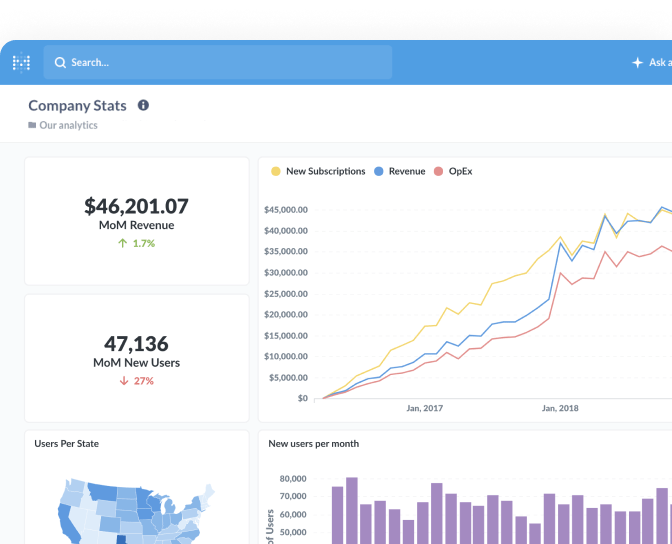
The problem shows up again when you put analytics in front of those tenants. If you’re building embedded analytics for customers, you want to build a dashboard once and have it show each customer only their own rows — not maintain one copy per account.
That’s what a data sandbox does: it defines boundaries on a table down to its rows and columns, so the same question returns different results depending on who’s looking at it. Sandboxes can be coordinated with your SSO setup, so the tenant identity your app already knows about drives what the analytics show. Pair that with white labeling and the embedded reports look like part of your product rather than a bolted-on tool.
Things that bite people
- Internal reporting that forgets the filter. Your own team’s dashboards usually run without tenant scoping — fine, until one of them gets shared into a customer-facing context.
- Noisy neighbors. One tenant with 400 million rows can slow queries for everyone else on shared infrastructure.
- Aggregates across tenants. Useful for your business, dangerous to expose. Keep those questions in a collection that customers can’t reach.
Key article
Related terms
Further reading
Put it to work
- Customer success analytics — Overview
- Customer health dashboard — Dashboard
- Health score — Metric